I’m hosting an important workshop about this on the 7th February — read this piece and look at the footer to see what it’s all about
I’ve been finding loads of interesting signs online that people are becoming increasingly bullish on using AI for note-taking.
This, more specifically, has been because of the integration between two popular tools. Obsidian and Claude Code.
Here, I’ll talk through why these two are such a good match, what I’ve started using them both for, and how I see things heading in the future.
Bear in mind that I’ve stood back from this scene for a long time. However, especially in the last month or so, I’ve found that AI has tied into my knowledge base more than ever. So it’s time to break my silence…
Why Obsidian x Claude Code?
One main reason — Claude Code operates at the file-system level, and so does Obsidian. It’s different to plain ‘Claude’ which in the simplest terms is a chat agent and direct competitor of ChatGPT.
But its ‘Code’ counterpart is a slightly more unique and powerful product. It’s to help you with your coding, operating out of the Claude desktop app, or in your terminal, and connected to a local folder on your machine.
And although Claude Code is originally configured to solve problems in codebases, it’s connected to the same language model that general Claude is. So it can answer non-code-specific questions too.
Notion has its own AI, and as do many other note-taking apps, but this configuration of Claude and Obsidian seems exceptionally powerful.
Because markdown is a file format easily read by LLMs, and because writing to the file system is easier than doing so to your Notion, where you need access to a proprietary integration to make it all work.
Of course, there are some privacy concerns (which we’ll discuss a little later), but overall, if you’re not too overly worried about your notes and where they’ll be stored aside from your device, this shouldn’t be a huge problem.
Anyway, here’s what I’ve used Obsidian and Claude Code for together so far…
What I’m using this combo for
I haven’t found as extensive a use case as some people online (which the next section discusses), but it’s becoming more integrated into my workflow…
The first and most obvious use of Claude Code in my world of Obsidian is that it completely manages the design and technical side of building my website PARAZETTEL.com using Hugo.
As Hugo is a static site generator (based on markdown files, converted to HTML), the whole thing manifests as editable from Obsidian, which is such a useful interface when it comes to actually writing new web pages.
But the interface has needed more than a few tweaks since I started coding in-house, and Claude succeeds at 95% of this at the first time of asking.
Of course, I make use of a template (a theme called PaperMod — I actually donated, which, alongside Folder notes plugin for Obsidian, brings the total supported free projects to two), but aside from this, Claude manages all of the alterations and personalisations when it comes to HTML and CSS.
Of course, this isn’t the meat of the issue at hand — when editing my websites, Claude isn’t truly tied into my note-taking system (the Personal vault I use for knowledge management). However, I’ve changed this by using the actual Claude-Code community plugin, as well as Obsidian-mcp, a plugin which allows MCP access for Claude into your Obsidian vault (but takes a little more setting up).
A combination of these two has been helping me with business decisions and clarity — because working by myself means that I have to make all the decisions, get stuck in infinite loops of thinking and need something to break me out of them.
And so I talk to Claude, with access to my notes, either through MCP or through Claude Code in the terminal, and it helps to clear my thoughts up and make decisions.
For one, it helped me solidify my thinking around how the backend of PARAZETTEL as a business is structured, priced and delivered…
Press enter or click to view image in full size
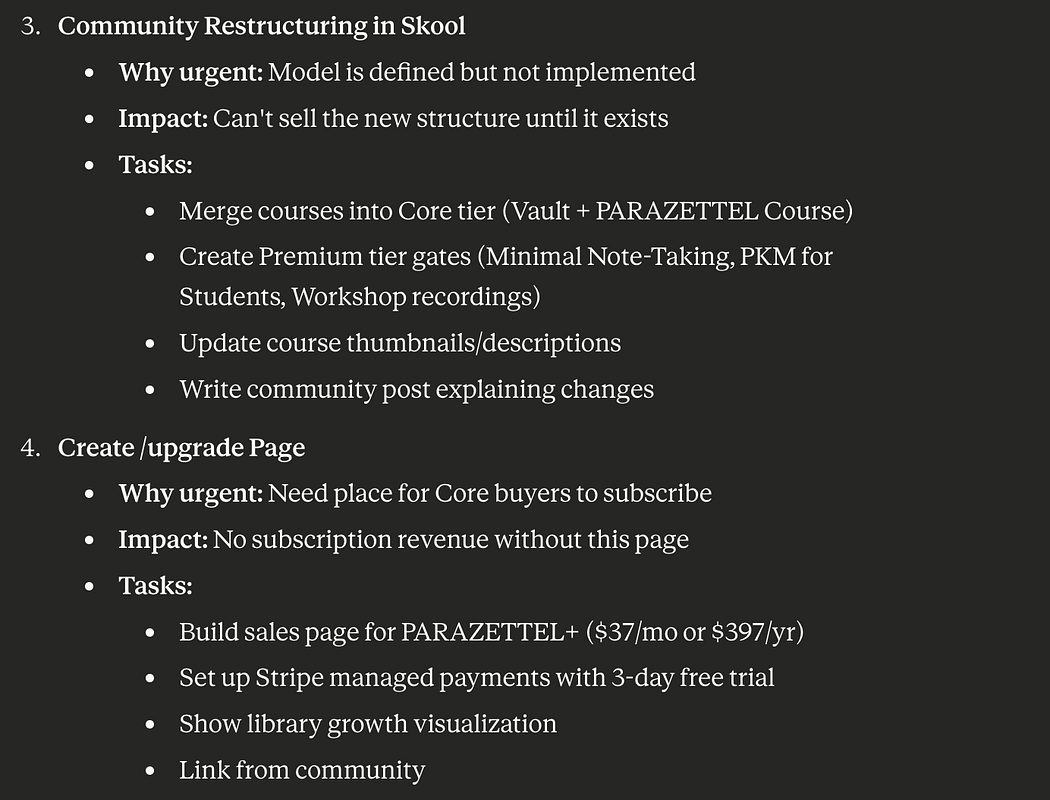
With integration into my vault, Claude has all the correct context (without providing it manually) to help me make decisions and plans.
This is very useful, considering I run the majority of my business without input from others who know the model and how I prefer to do things. It takes me out of the echo chamber of my own head and helps keep me simplified and grounded.
Others using Obsidian x Claude Code
Throughout scrolling (mainly on Twitter), I’ve found exponentially increasing numbers of cases of people talking about how they’re using AI in their note-taking (almost always Obsidian x Claude Code).
Here are some of the most interesting I’ve found, and some of my comments on them…
Press enter or click to view image in full size

https://x.com/arscontexta/status/2013045749580259680
Here’s an article I found recently — it talks about dividing work into a few different vaults (which I generally advise against, but I’ve not discovered how best AI works with multiple vaults right now), where each one should work in specific ways, and have a claude.md (that the AI references to understand how things work) per vault, defining this.
And the Obsidian CEO himself, Steph Ango, has been talking about Claude Code and integration with Obsidian…
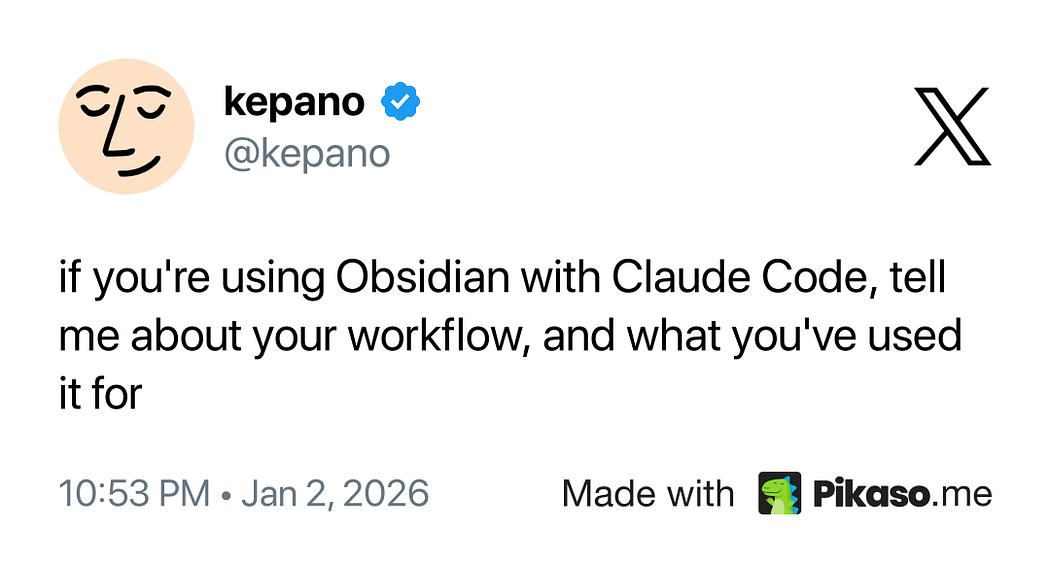
The replies are an interesting place to research about this topic — people are talking about aggregating the day’s tasks from across their notes, making metadata consistent and keeping it updated (which is one of my biggest simplicity limitations, stopping me from adding more of it across my vault), and much more.
I’m going to go through what I think about these and similar ideas when I host my workshop about the topic, a little less than two weeks after the time of publishing. Right now I’m experimenting, and preparing everything ready to share, so can’t give much more concrete information about usage, but will be able to do so in a short while!
I’m most interested in using Claude Code to automate the boring things — you guessed it, making templates, Bases and other system structures that help me work more efficiently.
(There’s more information about this in the footer if you’re interested!)
A concern or two
The overarching one is privacy — it’s our whole world of notes in the cloud if we choose to integrate AI, after all.
Even Steph Ango, although talking about using Claude and its relevant skills, doesn’t have any wishes to upload his vault to any third-party, even though it might lead to a gain in the way he can utilise his knowledge.
However, Anthropic (the people behind Claude at large) have rather taken the spotlight as a company, where they’re involved in less drama than their main competitors, and consistently perform well with the tools that they’re producing.
Are these realistic grounds for uploading our entire brains (or at least our second ones) to their servers? Perhaps, perhaps not. The ball’s in your court to decide how sensitive your notes are.
However, I’ve taken the leap. And although I’ve not got anything revolutionary to report (at least not at this instant), there seems a lot more promise with this AI x PKM combination than anything else I’ve seen before.
Thanks for reading!