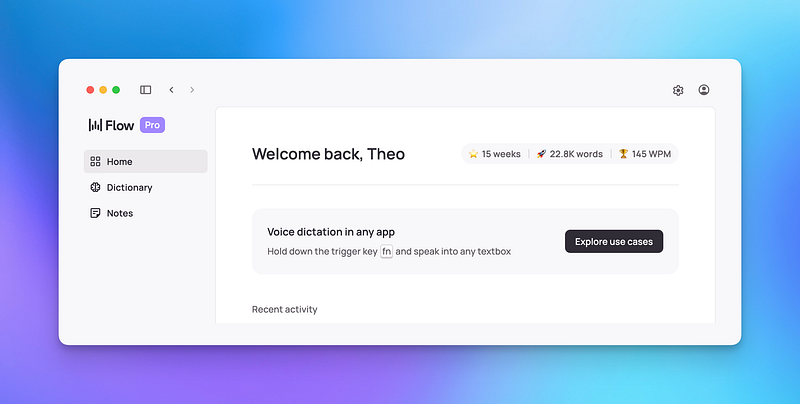
UPDATE: Wispr Flow is available on Apple devices and Windows, but not Android yet.
Wispr Flow is one of the newest apps I’ve added to my everyday software stack, and very quickly it’s risen to be among the most-used.
But what does it do?
In short, it’s a dictation app. A very good one. In slightly longer, it’s how I capture information to Obsidian and talk to AI these days. In this piece, I’m going to go through how.
Let’s get started…
The first time I heard of Wispr Flow was maybe three months ago. And as of right now, I can’t quite remember where I heard about it from. Probably Twitter, if I had to guess, as I remember I’ve seen Nat Eliason sing its praises more recently.
I searched for a tool like Wispr Flow for a long time, but nothing was accurate enough. Even Apple’s built-in options fell short. But Wispr Flow instantly fitted the bill and integrated into my daily work in a couple of very useful ways…
The first of these is something that I didn’t foresee — it makes interacting with AI tools much quicker and easier. When you’re typing into ChatGPT (or your other AI chat tool of choice), you’re always limited by typing speed and how much you can be bothered to say.
With Wispr Flow functioning as a transcriber, you can be much more detailed about the responses and feedback you provide, and much quicker in doing so, providing much better results in a fraction of the time.
This was a lifesaver throughout university, especially in the moments when I was trying to craft the right graph or making statistical analyses to give some real numbers to talk about in my reports.
I also used Wispr Flow when talking to ChatGPT about refining the privacy policies and terms and conditions for the PARAZETTEL website. Speaking out loud made it easier to explain the details of the business without wasting time, and allowed me to tackle a scenario where there was no way around being very precise in what I produced.
The main general use that I found of this software, though, was that it significantly lowered the barrier to entry of capturing information on desktop and mobile.
Remember just now when I said that it’s sometimes difficult to type things in sufficient detail when prompting AI? The same is true when it comes to capturing information. Often you don’t want to break your flow too much to write down a complex idea for five minutes, so you don’t, and you end up forgetting what you were thinking.
When you’re using your voice to write things down, the same task takes at most one minute, and you also don’t have to fret about capturing details because they’re easier to speak than they are to write. The only thing that’s required from you, aside from being able to say what’s in your head, is holding down a key on your keyboard whilst you’re doing so.
Not only that, Wispr Flow gives you the option to add in any vocabulary that’s custom to your life, so you don’t necessarily have go through and edit it. Needless to say, I added words unique to my universe, like PARAZETTEL and Fundamentalised after about five minutes of getting started.
But how does this fit into Obsidian?
In my Obsidian vault, I use the plugin QuickAdd to quickly add a new file when I get an idea. The plugin makes a blank note in my Inbox folder (learn more about my system at go.parazettel.com), and the file is a date/time string of numbers of when I captured it, ready to enter any thought I might have.
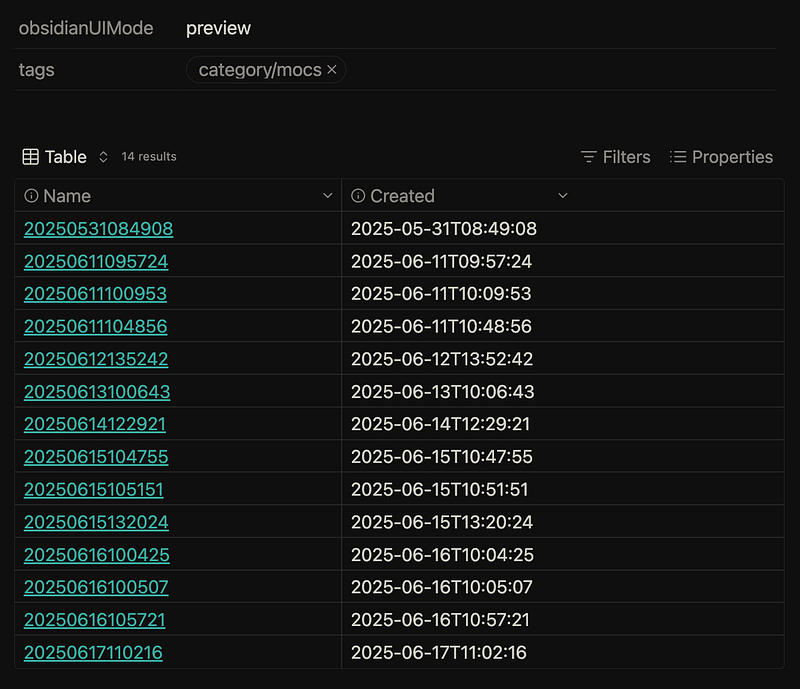
My unprocessed inbox notes — some of these will have been captured by voice using Wispr Flow. The table you see is created by the brand-new Bases feature in Obsidian.
There’s one big reason why I really like this…
You should be capturing more of your own ideas — ideally (hah) all of them. These thoughts are currency in the digital world, whether you’re working for a business in a knowledge worker role or doing something for yourself, as I’ve found myself doing for the last couple of years.
Of course, I preach that capturing too many of other people’s ideas (information hoarding) is probably a bad thing, but your own ideas should be captured without reserve, no matter what they’re about, knowing you can cut them and remove them from your inbox later, when you’ve got more time to think.
Bearing this in mind, having a quicker, lower-friction way to capture them in more detail (i.e. through speaking rather than having to type) is priceless.
Wispr Flow has a mobile app as well, so you can capture things when you’re on the move as well as when you’re at your desktop.
It’s not as smooth as the desktop method, and I’m not sure whether it’ll ever be, because Apple puts some limitations on the way that keyboard integrations can be used.
But despite this, it’s worth a try if you commit to taking a long note on your phone now and again. I use the QuickAdd plugin on mobile too, alongside the Advanced URI plugin which allows me to use the iOS Shortcuts app to put shortcuts to create a new inbox note on my home and lock screens.
(I’m thinking of making an article soon that has much more detail about this entire workflow, so leave a clap on the article if this is something you want to see)
This isn’t complex, as I said earlier, but it’s low friction when paired with Wispr Flow. It means I actually capture things on the move, rather than putting them off, which is the most important thing after all.
That’s just everything to do with how I’ve been using Wispr Flow alongside Obsidian for the last few months.
In this context it’s one of the AI tools that is actually making a difference in my life, and the lives of others from what I’m hearing (I introduced it to my friend for one, and he uses it every day).
Even as someone very careful about what tools they allow into their everyday life and setup, Wispr Flow has been a more-than-worthy addition.
Thanks for reading!