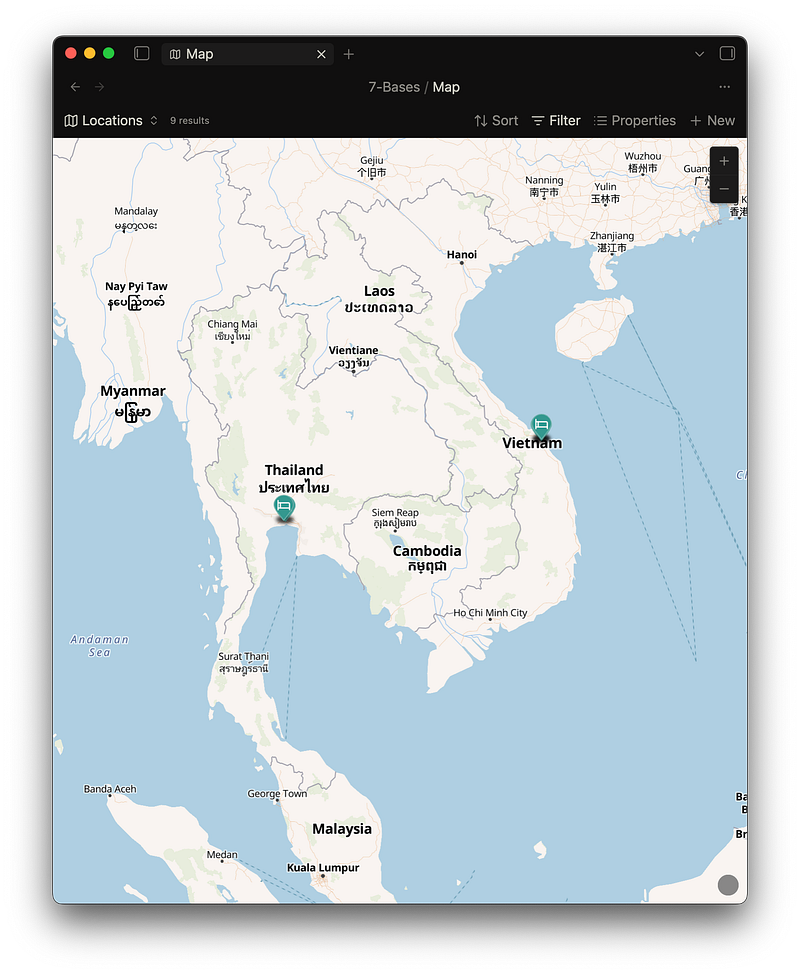
The other day I was scrolling Twitter (like usual), and I came across a @kepano (Obsidian’s CEO) post.
Steph was sharing how he makes maps of different locations inside of Obsidian. In his sample vault, you can find notes talking about a Japan trip, with all the locations visited arranged in Bases, including on a map.
And I’ve just figured out how to do it for myself…
(NOTE: I’m pretty sure as of when I’m writing that this feature is only available to Insiders, but this piece is here to get you ready for when it does arrive publicly.)
So I’ve been capturing some of the locations I’ve visited on my travels. This is going to be a guide of how to use this feature (or at least how I’ve used it so far), as well as some insights into using the web clipper…
The Bases API
With Bases originally, there were three views — list, table and gallery. Now, more recently, the Bases API was released.
To my very limited technical knowledge, I believe this means that people now have a way to communicate with the ‘Bases’ querying feature within vanilla Obsidian, to display notes in custom ways.
Like as a map, for example.
The Maps plugin is actually developed by the Obsidian team, even though you have to install it from the third-party plugin store.
It was supposed to be an initial demonstration of how to use the Bases API, and even so soon after, I’ve seen calendar views being developed, and similar. I’m sure it won’t be long before we have native Gantt charts, Kanban Boards and more.
But I’ll focus on the one I’ve actually started using…
How I’ve been using the Map view
It comes in conjunction with using the Obsidian Web Clipper.
For a long time, I used Google Maps to keep track of all of my information when it came to where I’ve been and locations that I’ve liked.
But now I’ve been wanting to move things off into Obsidian, and the Maps view has been the perfect opportunity.
However, the Maps Base view depends on using coordinates to position the marker upon the map. And I don’t want to have to write these down manually every time I want to capture a location into my vault..
So I’ve been using the Web Clipper, with a ‘Location’ template that captures everything I need to know from a location’s web page (normally Google Maps, Hostelworld, Booking.com or something similar)…
We rely on personal AI API keys for this (as per Obsidian’s commitment to privacy and no-lock-in, and so I like to use Anthropic), adding contextual information from whatever strings of data the Web Clipper scrapes from the page (I don’t really know).
Normally, it does a pretty damn good job of collecting the relevant information, even though sometimes the coordinates aren’t available.
And if these aren’t quite right, there’s still a solution — you right-click where you know the location should be on the Maps Base view in Obsidian, copy that point’s coordinates and put them into the new location note’s metadata yourself.
As well as this, you can customise the icon that appears on the map, as I’ve done in the ’location-type’ property in the example above, as well as the colour of the marker, so you can visually differentiate the places a little as well. It’s something I may start to do when I collect more and more locations.
So overall, I’ve started building out a permanent record of the places that I’ve visited, along with personal details and reviews to the extent that would never have been suited to Google Maps.
As well as this, locations can now be tied more closely into my workflow and linked to more of my knowledge when planning or writing about things in my vault.
Looking forward, as we see more and more of these Bases views, I’ll continue to try them out and put reviews and insights from using them on this page.
Thanks for reading!