The team at Obsidian have been making changes. Specifically, these changes have been coming to their mobile app. Today, I’m going to talk a bit about what I’ve noticed already and what I’m still expecting from the app’s upgrades in the future.
Let’s get started…
Mobile startup changes
The first thing I noticed about mobile was the icon’s new appearance when you launch the app.
A small change, I know, but a change nonetheless…
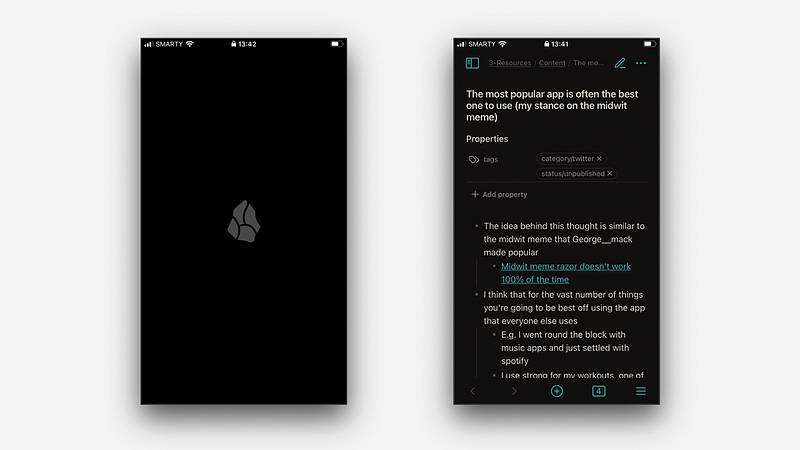
The second thing I noticed about the app’s startup was that it was considerably faster. The time to launch of Obsidian on mobile has long been one of its downfalls and it seems as though the team have given it some work.
Now that Obsidian boots up much faster on mobile this has reduced the barrier to opening the app and doing work. So I’ve started doing this more…
Why I like using Obsidian on mobile
I don’t always have my laptop around to work with ideas. For a significant time, I used Todoist to capture ideas even though it’s a tool much better suited to simple tasks. I thought it better to capture in Obsidian, but didn’t have a plan of how to do so.
Then I committed to learning to use the app on mobile and set up Apple Shortcuts to capture ideas and thoughts. Now they’re saved into my Obsidian inbox and I come back to them when I’m on desktop. Using sync I’ve got the privilege of approaching these ideas when I’m in the right space physically and mentally.
With the improved features of quick startup and idea capture, I’m more drawn to doing work on the app when I get the chance…
Just recently I was sitting in the waiting room in the hospital (doing great now, don’t worry) and the queues were as long as usual. I got my phone out — as I hadn’t brought my laptop with me — and I put together a draft of a short post for a different platform.
Before, when Obsidian wasn’t as usable on mobile I wouldn’t have had a choice but to sit there doing nothing.
Even though mobile use is not as powerful as on desktop, with arguably more opportunities to context-switch, I’m very happy with the new changes and opportunities in situations like the above.
Let me give you some more insight (think rules and limits for use) into how I approach using Obsidian on mobile now…
Best practices for using Obsidian on mobile
First of all, it’s a companion for the desktop workspace at best. Don’t expect Obsidian on mobile to become a replacement for a good setup on a computer or laptop. It won’t ever be.
Set up your mobile to be best at things that you might want to do on the fly, for example capturing ideas and making quick updates to notes, rather than long writing sessions in your Zettelkasten.
On my MacBook version of Obsidian, I have 17 installed community plugins all doing various things (still minimal, I promise). On mobile, however, I have just 6 right now.
They’re the basics, allowing me to be able to do what I need to do and not any more. I don’t want to distractions from what I’m doing in the present moment.
Admittedly I’ve not been using mobile for too long, so if I come across another edge-case scenario where I need an extra plugin in the future I’ll be sure to add it, but up to now I’ve been functioning very well with just six.
Having said this, you can make system changes and use certain plugins on mobile only as well. If there are things certain plugins might do just on mobile to improve setup there, take them on board.
For a while, I used a plugin called Commander on mobile because I thought it would be useful to have access to more tools on my mobile toolbar.
Just remember that we’re trying to keep quite a minimal system and that often you don’t need as much as you think you do. After a while, I got rid of Commander because the small added function wasn’t worth the complexity of an entire added plugin.
Remember, you’re trying to make a companion to your desktop app, not something entirely new. This is important and is something the app tana.inc does really well…
I used Tana for a while when I was looking for the right app for work. They have a unique approach — their mobile app is simply a companion optimised to capture in as many ways as possible and get them on the desktop app seamlessly to work with later down the line.
You can’t access your main body of notes, only gather information and add to it.
Now you need to find the one thing that Obsidian mobile would be useful to you for and optimise for that. Like Tana, my Obsidian mobile app is optimised quite heavily for simple idea capture rather than long-winded writing, as I mentioned in the article I linked above.
What’s next for Obsidian on mobile?
In all honesty, I don’t know that much. I’m aware that they might be improving sync for mobile and boosting startup time but that might have rolled out for me already — I’m an Obsidian insider and get updates slightly earlier than others.
In checking the roadmap, I noticed that Obsidian was working on a mobile-native solution for information capture. This made me very excited as after all, I mentioned that information capture was the primary reason I use Obsidian on mobile. Although I have good shortcuts set up for this already I’m looking forward to seeing what additions they’re planning to add.
If this feature comes out I’ll likely write another piece to cover it and give my thoughts so keep an eye out.
As always, thanks for reading!