
I’ve been writing on Medium for almost a year now.
I started in January with little direction, but quickly a topic of expertise developed.
This was personal knowledge management and productivity, particularly in the app of Obsidian.
I’ve written almost 100 articles on Medium and most have been on this topic. Back in June, I did a piece that rounded everything up into a single point of reference in a single article for all the information I shared.

A Complete, Up-To-Date Guide to Obsidian (June 2023)
A collection of the very best guides to theory, plugins, features, settings, use cases and workflows...
Five months later I thought it to be time again to create another one of these pieces. A place where you can go to get all the most relevant and insightful Obsidian information that I’ve written.
This piece is going to be split up into a few main categories…
Features and plugins — articles that focus on specific features or plugins that I’ve found interesting enough to write about (e.g. the new(ish) Properties feature).
Theory — some deeper pieces that touch on the best principles behind managing your knowledge and creating impactful work.
Workflows — how I put the theories and features into place and use them for what I say I’m going to use them for.
I should start by first bringing up the piece that’s the most important out of all that I’ve published so far in this second half of the year.
In mid-September, I created a vault template for Obsidian called PARAZETTEL. It goes over the plugins, theories and workflows (like above) that run my everyday use of the app. Inside PARAZETTEL, you can see my vault structure through videos and guides, as well as access to exclusive content that I’ve put together. I’ve designed the vault to be the most digestible and useful that it can be.
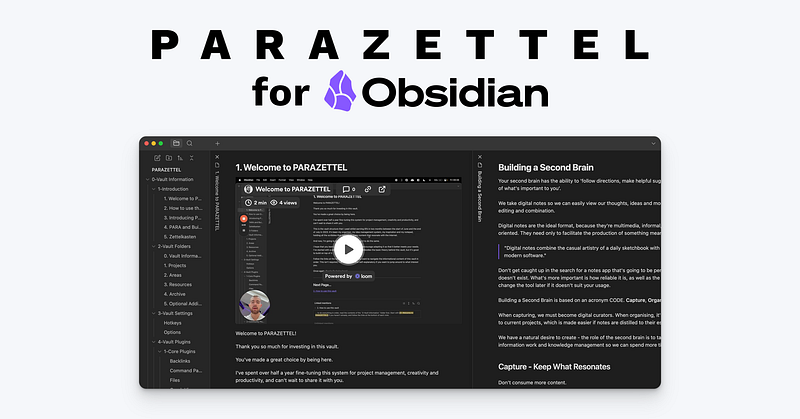
Fusing Building a Second Brain and Zettelkasten in Obsidian
An exclusive insight into how I manage knowledge and productivity...
Now, on to everything else…
Features and plugins
I’ve been prioritising minimalism throughout this second batch of content, so the first piece I want to bring up is “I Uninstalled Most of My Obsidian Plugins. Here are The Ones I Kept…”. One of my favourite features of Obsidian is the fact that there are so many plugins that do so many amazing things, but I had to cut down. This is the list and reasoning behind the ones I’ve kept.

I Uninstalled Most of My Obsidian Plugins. Here are The Ones I Kept...
I wanted to be more minimalist, to focus on my content creation, but these plugins had to stay...
When I was creating some free lead magnets, I wanted a simple and integrated way of creating graphics that served as diagrams for the work. The plugin Excalidraw in Obsidian wasn’t one that I’d used very much at all in the past, but it served this purpose brilliantly.

I'm Late to the Party With This Popular Obsidian Plugin
I'm only now finding a use for one of the most popular plugins in the app...
Obsidian released the Properties feature quite soon after I released the first roundup piece of the year. The articles I created about this feature following its release went on to be some of my most popular pieces on the entire platform of Medium.

Obsidian's New Properties Feature Brings a Notion-Like Experience to Metadata
If you've never understood or wanted to use YAML metadata in Obsidian, you might want to learn to use Properties instead...

How I Use Obsidian's New Properties Feature Productively
This new feature supercharges the old YAML metadata and makes it easier to use...
If you find that the interface of Obsidian is distracting then you can reduce some of the clutter by using the steps in “3 Ways to Reduce Distraction in Obsidian”.

3 Ways to Reduce Distraction in Obsidian
Customisability can be a double-edged sword when you just want to sit and write...
Theory
As I mentioned, most of this period was focused on developing a set of principles that would guide personal knowledge management regardless of app or system. These principles I placed under the moniker of Minimal Note-Taking. I wrote the piece of the same name to serve as a guide…

Minimal Note-Taking: A Complete Guide
Learn the best way to take notes for your use case...
Off the back of the Minimal Note-Taking principles I’d created, I wrote a couple more pieces. They were all about how I applied Minimal Note-Taking in my own PKM, increasing the work that I outputted and decreasing the time I spent thinking about the system and methods I was using to create the work.
If you want my work related to this, the best places to start are “The Obsidian Templates That I Still Use After Simplifying My Vault” and “The Most Important Notes in My Obsidian Vault”.
The Obsidian Templates That I Still Use After Simplifying My Vault
Despite paring down my vault for simplicity, there are some templates that I kept...
The Most Important Notes in My Obsidian Vault
All roads (backlinks) lead not to Rome, but to these files...
Workflows
Now it’s all well and good to understand the theory, features and plugins, but sometimes you need some inspiration for workflows and processes in which you can use them.
Only take advice from these pieces if your use case is similar to mine — if not, use the principles of Minimal Note-Taking to make sure that you’re only adding effective changes to your system.
The main piece about PARAZETTEL and its workings is where you should go for the most detail about my workflows. I now focus on teaching PKM theory and covering new and interesting features of Obsidian.
However, I did create an article about my experience of creating a website within Obsidian, which you can read as “Using Obsidian to Build a Website”. I also touched on my task management in Obsidian in the article “Simple Obsidian Project Notes and Tasks”.
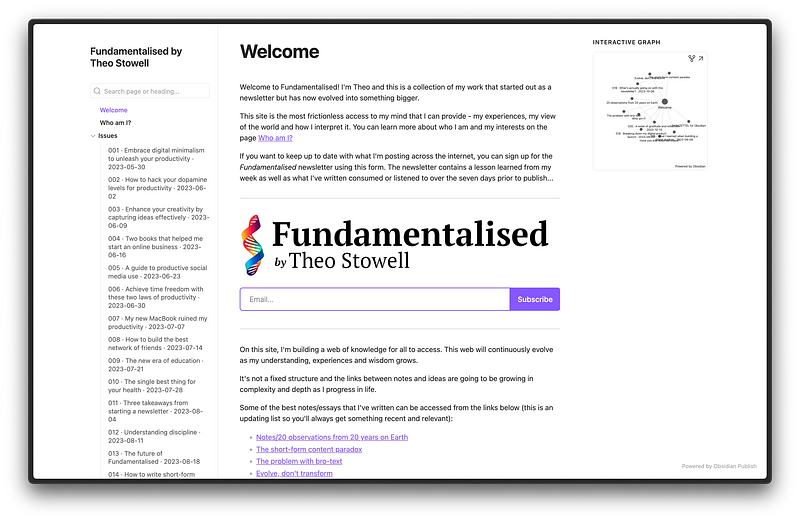
Using Obsidian to Build a Website
How does the note-taking app perform?

Simple Obsidian Project Notes and Tasks
Folder notes and a new plugin solution make up the basic template...
Thanks for getting to the end of the piece! I don’t say this often but this one is worth bookmarking so that you can refer back to it as and when you need the information in your work.
Thanks for reading!