Back in March, I came to a tipping point in Google Workspace use with my business. It was too complicated, bloated and impersonal. But I needed a replacement. Luckily, I could turn to my community and ask questions…
And after a short period scouting out alternatives, I settled on Proton Business Suite’s services.
In this piece, I’m very quickly going to quickly cover what was going wrong, and what changed when I switched platform…
The thing is, I’m one person operating a couple of small self-employment ventures, so I don’t need individual ‘Workspaces’ for each of them. I didn’t need the massive dashboard of features that Google Workspace gives you (even though you didn’t ask for them) either.
Like NotebookLM. What? Gemini? I’m a Libra. And this Libra’s already drowning in AI features from almost every other piece of software he uses.
Rather, I need one place to work with all of my different business domains unified, so I don’t have to be clicking my profile picture and switching inboxes all day. A little more than 30GB of storage per account would be nice too.
In addition, it wound me up that some platforms had slightly different-looking interfaces. The admin dashboard for Workspace is dated, whereas things that are more forward-facing, like Drive and Docs, are more modern. This frustrated my neurotic brain, which wants services to look and behave consistently, especially if they come from the same company.
When I finally got fed up of this, I went on to Proton’s website and liked what I saw under the ‘features’ of the plan I was eyeing up…
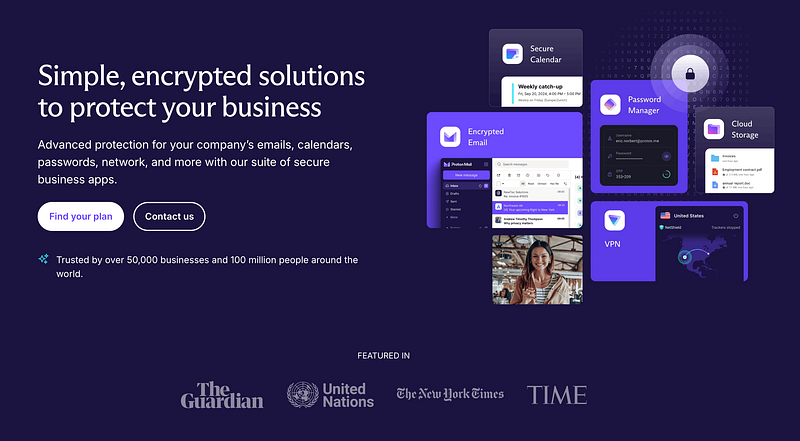
With Proton Business Suite, first of all, I was assured that I would be able to manage all my domains under one roof, managing, receiving and sending from my three different projects in one place.
Another nice touch is that I can manage my personal Proton emails in the same inbox as the business ones. I’ve been working on trying to transfer as much over to my Proton personal address as I can, just in the interest of having one app to check rather than many spread out over different platforms
1TB is more than enough storage as well. Even for me, someone who shoots photo and video very regularly, personally and as a freelancer. The desktop Proton Drive app has been working without hitch, too, and the mobile app backs up my camera roll to the cloud, which is a nice bonus.
You also get a password manager and VPN. Two genuinely useful tools added into this subscription was the tipping point for me.
I paid for Bitwarden for two years for my password manager so that it would store TOTP codes and insert them when I’m on the related website, but having this included in the Proton subscription is much more convenient.
Proton Pass also has a feature that gives you unlimited email aliases (Proton owns SimpleLogin now), so I can keep my email hidden from shady persons at no additional cost and link them to the relevant email address in my inbox.
And it’s nice to feel safe(r) the more travelling for work that I do, being able to connect to public Wifi through their VPN (which I’ve actually been using for free for many years, so it was nice to support this tool too).
Now there are some advantages to using a Google Workspace. I should have kept better track of the data, but I’m pretty sure my email open rates have taken a slight hit (or maybe I’m just falling off). And it’s quite a bit of a bother when you have to try to tell your proton email to people, so it’s nice to be able to say Gmail as well.
There are also a few services that you can’t change your email for (e.g. Shopify/Shop.app), and I’ve got two YouTube channels, so I don’t ever think that I’ll be able to go completely Google-free. Being three ‘Workspaces’ lighter is nice though!
Now it’s not often that I’ll write about another piece of software, but Proton has so dramatically improved the quality of a lot of the really foundational things that I have to do in my business, from managing emails to design and marketing assets, so I thought I’d shout it out.
Even though it costs, €15 for all of this is pretty good!