For a long time, I’ve created Folder notes in Obsidian, containing indexes first from Dataview and second from Obsidian Bases, to give me a simple outline of a project’s progress.
However, more recently, I made a small improvement that I thought might be interesting to you.
This isn’t going to be a long piece, but it’s going to be an interesting one…
The folder-note-index setup
This is what I’ve called the most revolutionary change on the system side of my note-taking that I’ve ever made.
Dataview and Bases come and go, but this plugin has stayed firmly in my vault since I installed it.
It’s also one of two free, open-source projects that I’ve donated to in my life (the other being the theme template that I use on all of my vibe-coded Hugo websites).
It’s safe to say that it’s transformed my note-taking system.
Here’s how I use it…
When the plugin’s installed, a ‘Folder note’ opens when you click the folder in the sidebar. This note functions just like any other note, but it’s tied to the folder by its location and name, and can be opened without needing to expand the folder.
But you need something that you can stick on this folder note, so that’s what I built.
The MoC.base
This is what I put at the top of every single one of my folder notes.
It’s a Base (Obsidian’s new database feature) that collects the names and other details of all notes inside the folder the base is embedded within (so it’s dynamic, dependent upon location, meaning we only need one template Base), and presents them in a neat little table for me to peruse…
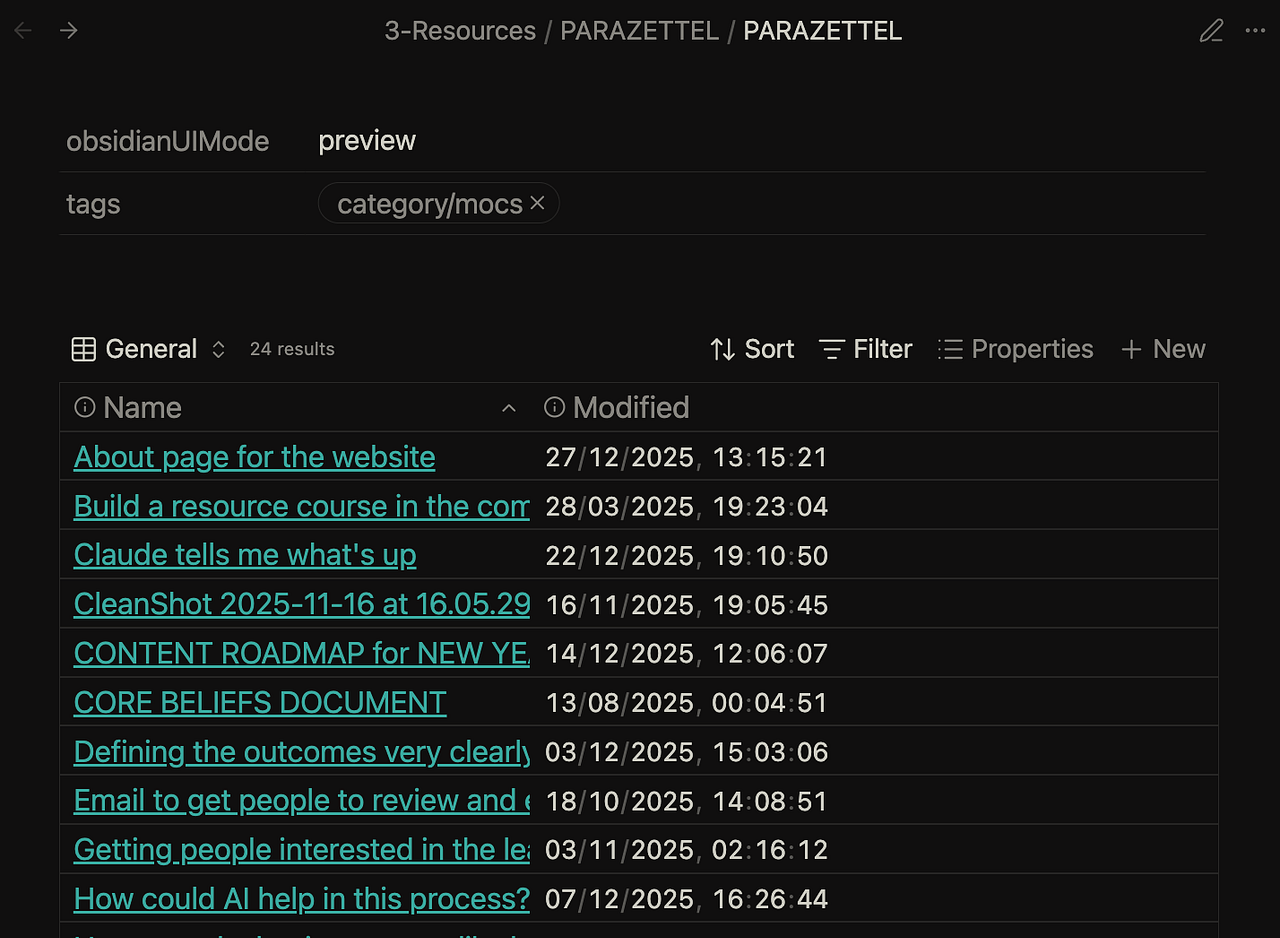
This way, instead of having to use the quick switcher, I can just browse the names of my files and open them simply by clicking on them.
Already useful on its own right? But I’ve built a progress-tracking feature into this, which I’ll explain now and then share how I think this will be useful (and how I’ve already been getting use from this).
Adding progress tracking
This is a new addition to the way these index notes work.
I wanted to be able to capture small points about areas in my life that are important, for example in the current projects I’m working on.
And making a new note in the relevant folder in my system didn’t cut it for this. I was navigating through way too many scraps, and it swamped the writing that I actually wanted to find and work from.
So I just started capturing a chronological progress and pointer log, right there in the folder note…
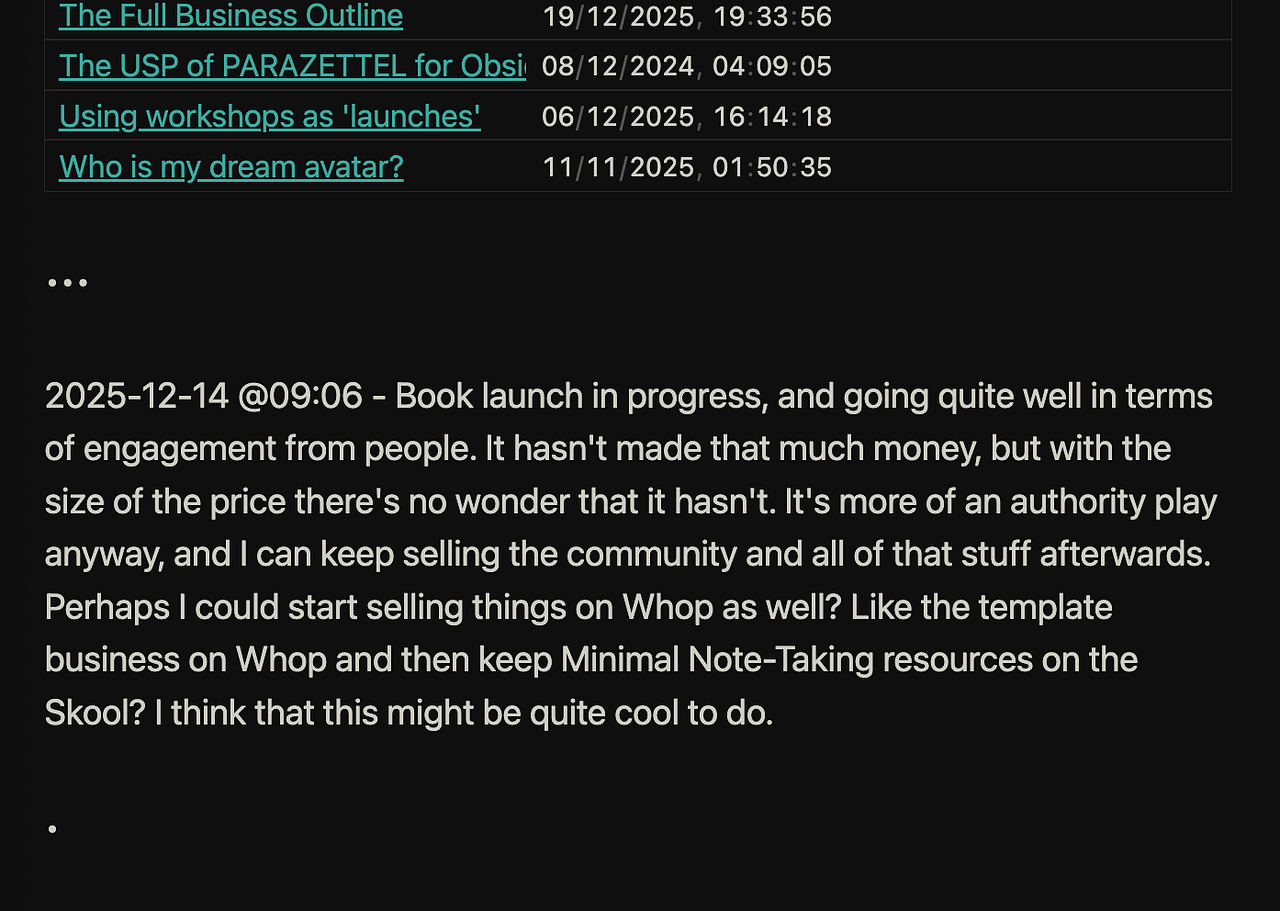
To implement this yourself, you need two things…
- The Folder notes system set up already, so that you have access to this feature
- The QuickAdd plugin, so that you can configure a quick and consistent way to capture this information…
For QuickAdd, you just need to create a new ‘Capture’ configuration, and follow the settings that I lay out here:
- Capture to the active file, use the format of ••• and place the date underneath, along with your capture
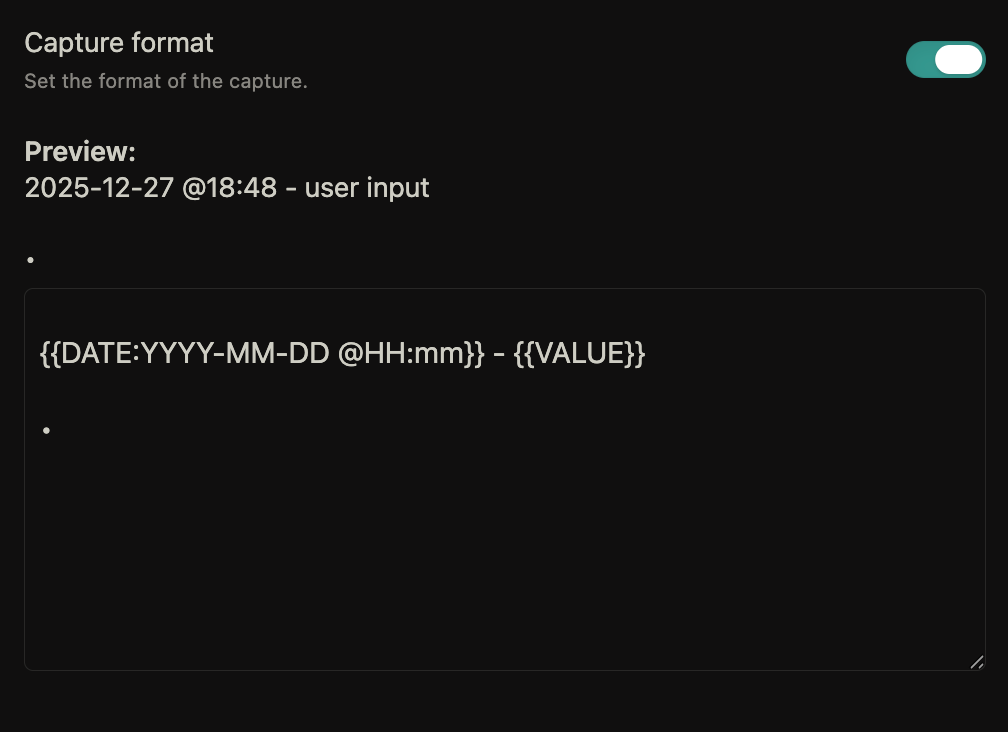
This way, all you need to do is use a little shortcut to open the capture modal, write an update in there, and then you’re set.
But what can you actually use this for?
Uses of progress tracking
Well, first of all, it’s nice to scroll through these updates once you’ve gathered a lot of them, so you can see how far you’ve come.
Second, it allows us to bring other tools into the mix.
For my most important and relevant projects, I’ve got parallel Claude AI projects as well for discussing these things in a relevant environment.
And especially from the perspective of a project, having this progress data in place is great to give AI the context when you’re having conversations about things.
Like for the PARAZETTEL business — I ask questions to the AI, and because I’ve provided it the progress that I’ve made and tracked for a little over a year now, it has that bit more understanding and context to be able to provide you with an answer that’s actually useful.
Here’s an example — I was struggling with ideas and conviction for making a new funnel for the PARAZETTEL Community, and Claude came back with this one, rather than some kind of non-committal, pointless answer…

And so now that I know I have to keep things simple, keep creating value and trust that people are going to come inside.
That being said, you can get a free demo video of the entire PARAZETTEL system, as well as six more long-form watchable resources, as well as book notes, workshop recordings and more (I’m calling this the PARAZETTEL Intro Resource Pack), by going to the link below…
PARAZETTEL * PARA Method x Zettelkasten
So check this out if you think that this is something that you might want to use in your own vault, because I’ve got many more ideas and useful resources around that I’ve not shared in this piece.
This ended up being a little longer of a write-up than I thought, but thank you for sticking to the end.
If you want more free resources, my other articles and especially the link above to the free resource pack are your best bets.
In response to what Claude asks, I want PARAZETTEL to be bigger, more effective and useful than ever before once another 12 months have passed.
Thank you for reading!