I used to treat daily notes as a journal, and I could never keep up the habit of writing there.
One thing that stuck, though, was the ‘journalling’ process, but on paper. I’ve written before about how I like to use scratchpads and physical writing as a mind-clearing/mindfulness mechanism.
Because of this, for a long time, I didn’t really have a true function for daily notes, and so I avoided talking about them. However, more recently, they’ve turned into a real backbone of my workflow (partly because of AI), working almost like a paper trail…
This means they’re there to capture a rough thought, or a record of what I’m crossing off the task list, or thinking about, throughout the day. Such a marker doesn’t have to be a profound insight. It just needs to exist.
In this piece I’m going to tell you about the why and the how of this process…
What my daily notes are for now
I do not force myself to write a proper ’entry’ in the daily note. I just write whatever comes to mind with as little friction as possible. It’s kind of like writing in a PKM inbox, and indeed there’s a little crossover—I just do whatever feels natural, and then my Hermes agent processes the inbox stuff into the daily note later if it doesn’t move after a while.
That makes the daily note a working record rather than another obligation. It gives me somewhere to put the context that would otherwise disappear because of the friction that comes with recording it in a specific folder or format.
Here is what mine looks like after Hermes has made my morning brief live…
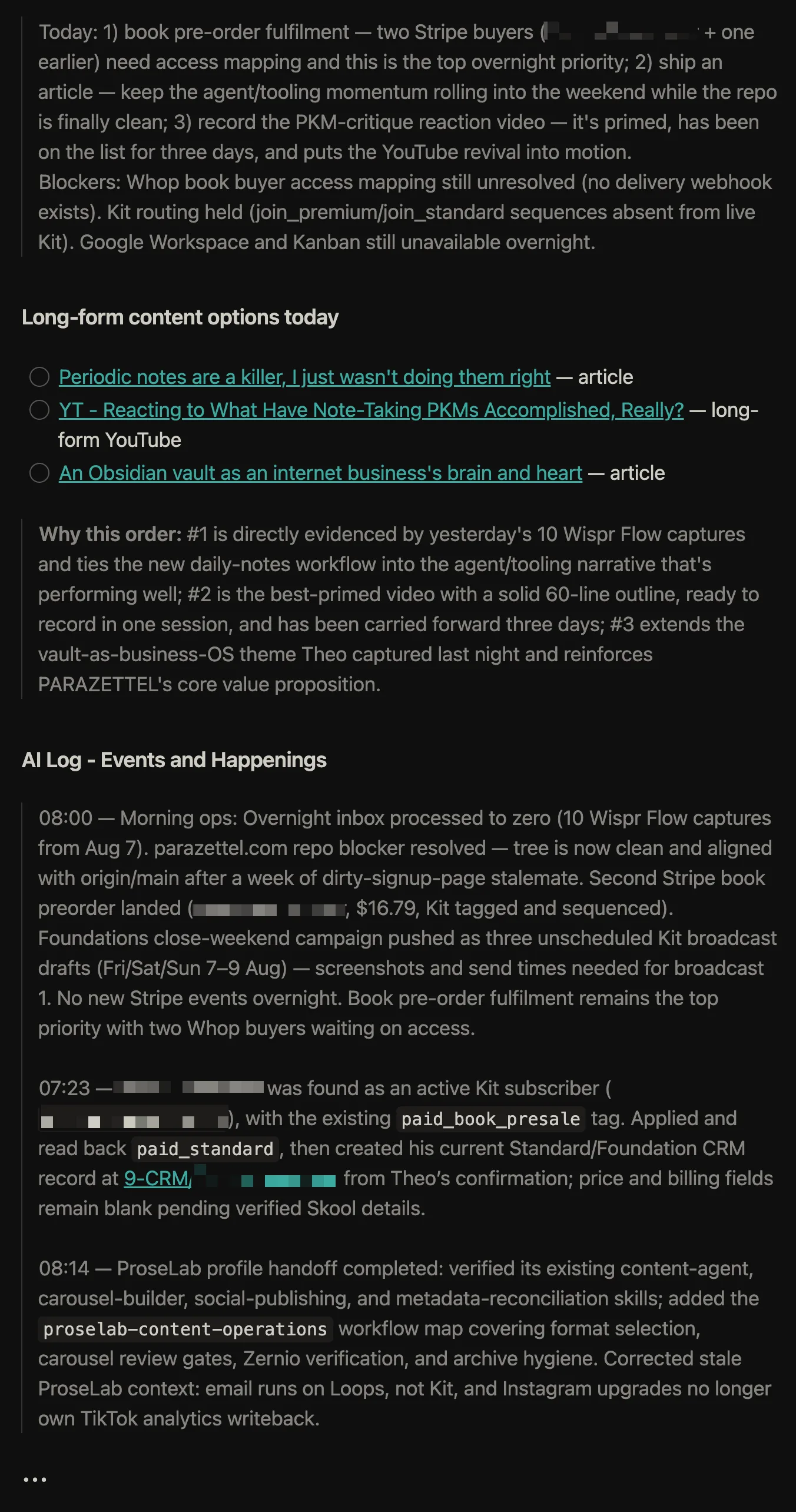
I have a Hermes agent, which you might have heard me talking about recently. It works overnight on a few useful bits of admin, like clearing my inbox and putting the obvious things in stable places (for instance, moving other inbox snippings into their relevant space in the periodic notes). Internet clips go to the clippings folder. Things that look like tasks go onto a task list.
That leaves the daily note free to record what I was doing and thinking as it happened…
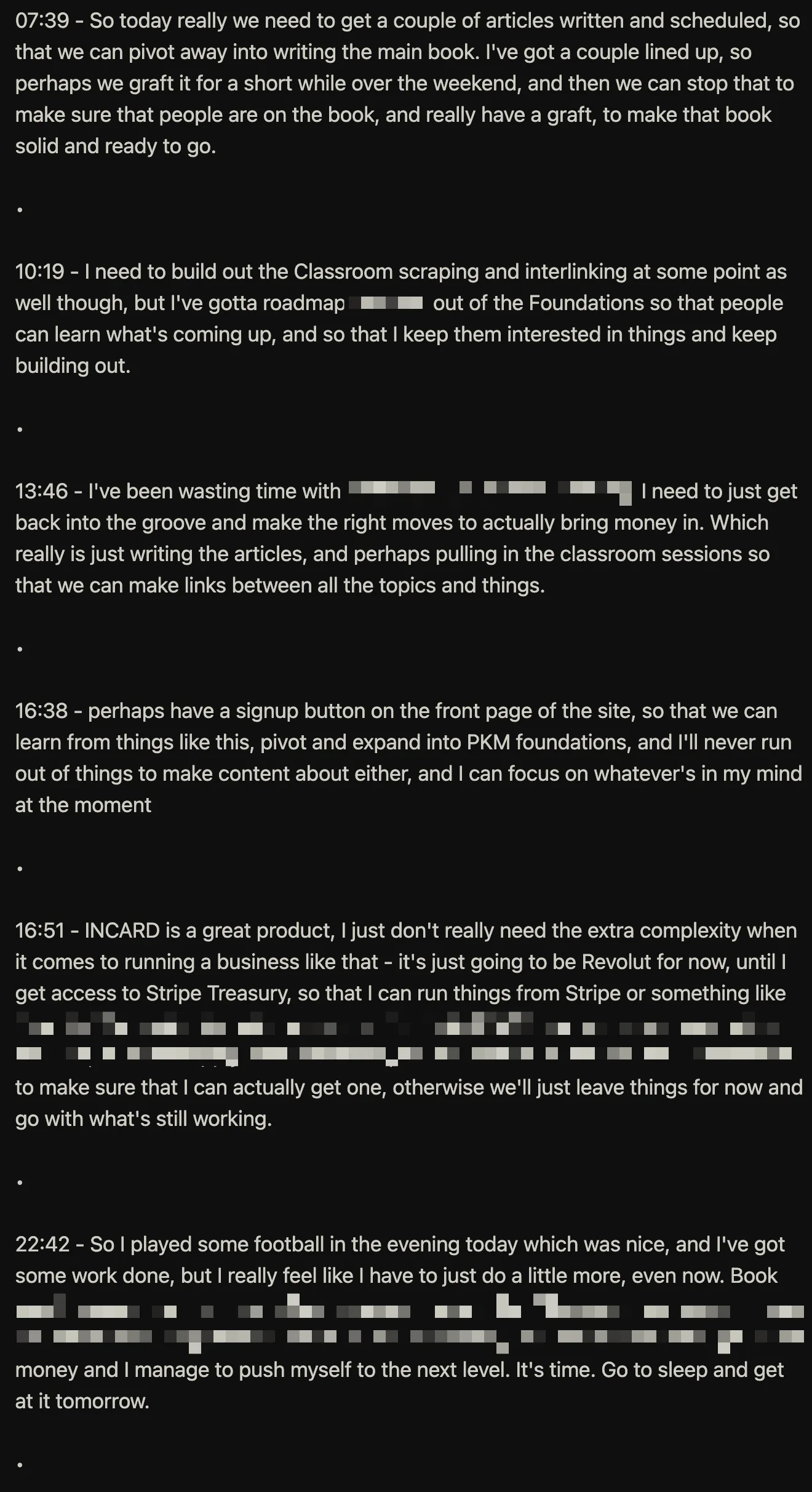
A timestamped line is not impressive, but at any point in the future I can see the thought in chronological context, alongside everything else I was doing. That means I do not have to reconstruct the feeling or the problem from memory, which, as we all know, doesn’t really work as intended most of the time anyway.
AI makes this personal context more valuable, not less, because it can help with retrieval in a fraction of the time that it would have taken you to synthesise all your old daily notes.
These little pointers that you capture can become genuinely useful points of reference and context when you’re creating something new or reviewing what’s happened over time, like we do in the weekly notes…
Daily notes and weekly notes do different jobs
The daily note helps me stay close to the work in terms of recording what happened, and the moments of thought that pop up randomly throughout the day. On the other hand, a weekly note helps me step back and ask whether the work is heading somewhere worth going (it’s working ‘on’ my life rather than ‘in’ it).
On Sunday afternoon, once I’ve sent the PZTL Newsletter, I go through the week and make sure the right things do not get left behind (again, I’ll have Hermes start things off, see below)…
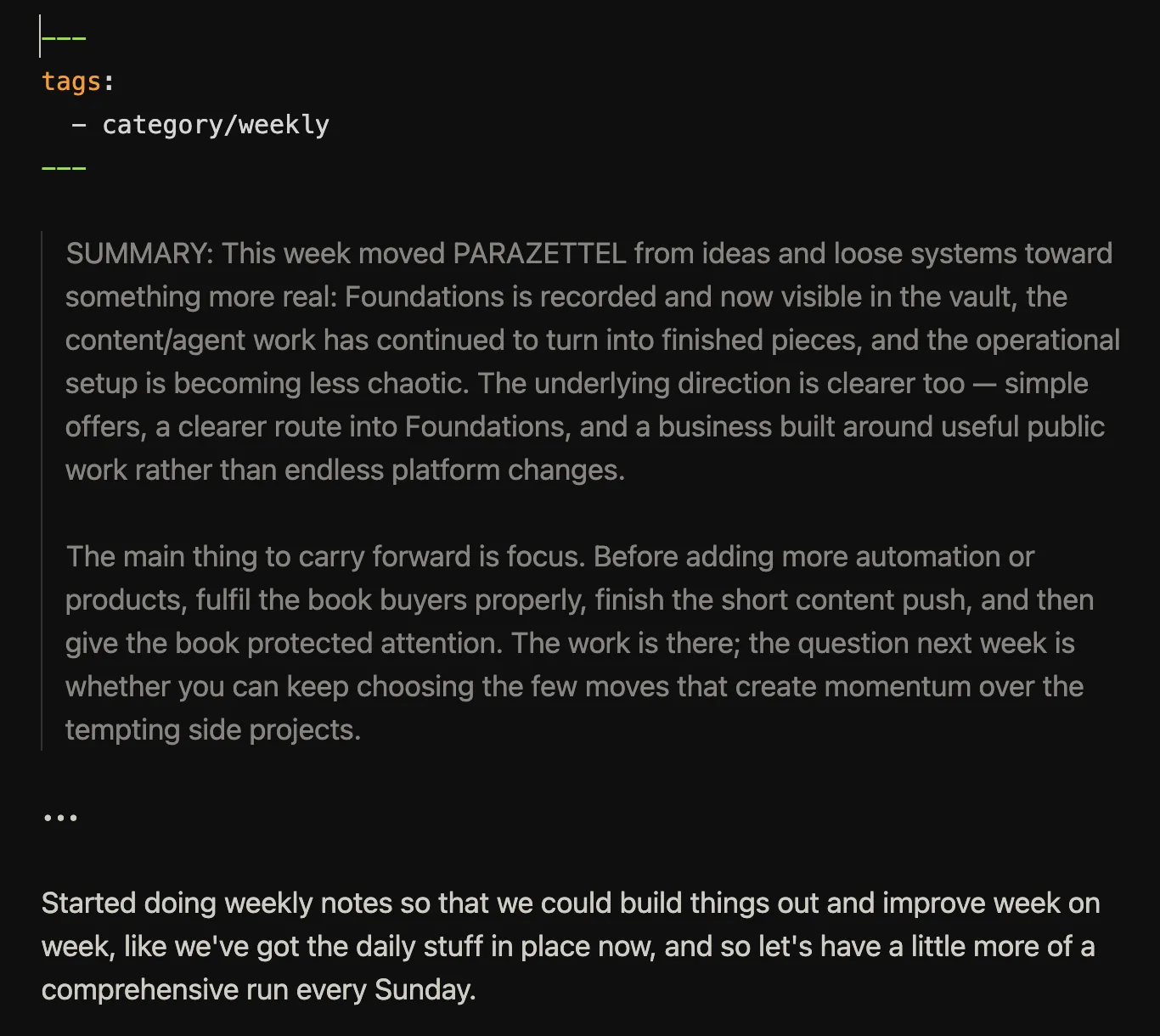
Hermes rounds things up based on the week of daily notes (with explicit instructions to focus on longer-time-horizon goals), then I add my own contribution, and then Hermes runs again in the evening
However, you don’t need to do all of these configurations with the agents to start with…
Keep the technical side lightweight
There are a few technical things that make the practice easier, but the point is not to build a complicated periodic-note machine (at least not to start with, but if you want help with the Hermes side of things, get in touch here). There’s one tweak that I suggest you read next if you do want a high-leverage addition to a periodic note practice…
The newest iteration of my mobile/quick capture workflows...
(This linked piece might give you more inspiration to simplify the capture side of things, even though it’s not expressly about periodic notes (and I talk more about this in the Foundations programme).)
Daily notes should let you stay in the flow of working instead of making you decide where every thought belongs in the middle of the moment. Keep them easy to open, make the capture process fast, and use the weekly review to pick up what deserves more attention. That setup then provides a much richer context, for yourself and your agent, for comparatively little extra effort.
If you want help building that kind of usable system in Obsidian, PARAZETTEL Foundations is where I teach it…